
Host Swagger-UI of AWS Lambda by Using Amazon S3
A step by step guide of hosting a static Swagger-UI in front of your AWS Lambda

A step by step guide of hosting a static Swagger-UI in front of your AWS Lambda
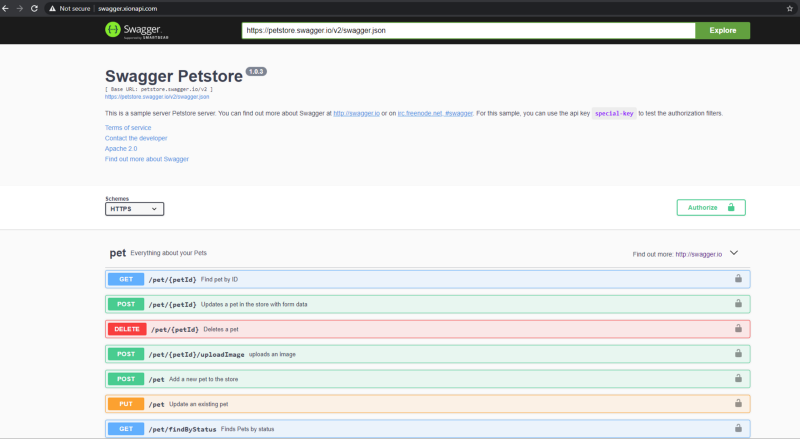
Problems
Initially, my team is working on hosting our serverless API in Lambda, along with our Swagger frontend. However, it will occasionally hit an error of loading failed due to extensive processes due to import Swagger files externally and consume our Swagger. YAML file. Besides that, Swagger is not a necessity to our API when it comes to production level. So we decided to move our Swagger away from our API to keep it short and straightforward.
S3 provides a simple way to host a static website without much configuration. It best suits our case here. So let’s get started.
Solution
1. Host your swagger configuration file online
It could be an endpoint, or a static JSON file, like this: https://petstore.swagger.io/v2/swagger.json.
IMPORTANT: Currently Swagger-UI only serves JSON format, should your configuration is in YAML format, convert it to JSON format instead.
2. Download necessary static swagger file
Download the static swagger files from here. It contains all the required files you need to serve your Swagger.
3. Edit index.html
Look for the indx.html file within the folder. Open it in any text editor and look for line 42, or the line declaring the SwaggerUIBundle object. In it
lambda-swagger-test4. Configure S3 bucket
Create an S3 bucket in your selected region, then upload all the files to your bucket. Your bucket directory will be as like image-1:
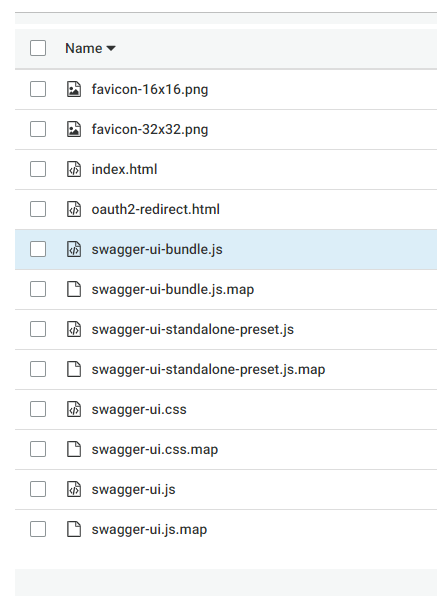
image-1
Next step would be configuring your S3 bucket to host static websites like image-2:
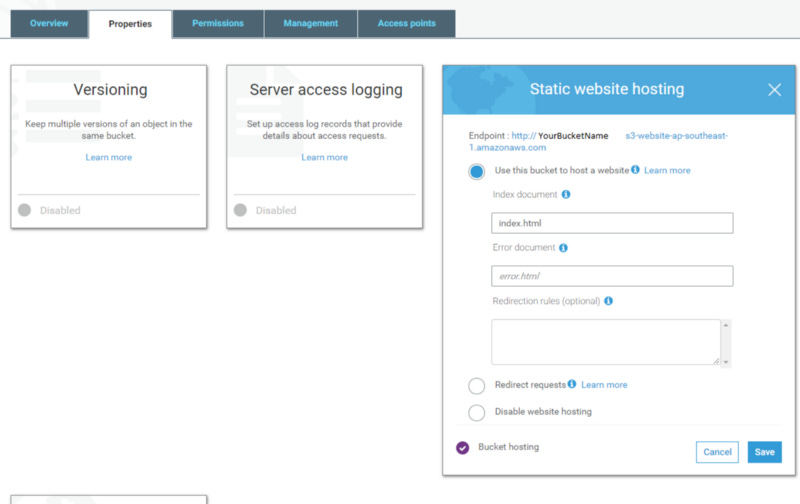
image-2
Save it and go to the next step.
5. Test your API endpoint
In image-2 reference, you can see there’s an endpoint showing your Swagger endpoint. Put it to the browser, and you will be able to access your Swagger successfully, and of course, it’s all fully functional.